
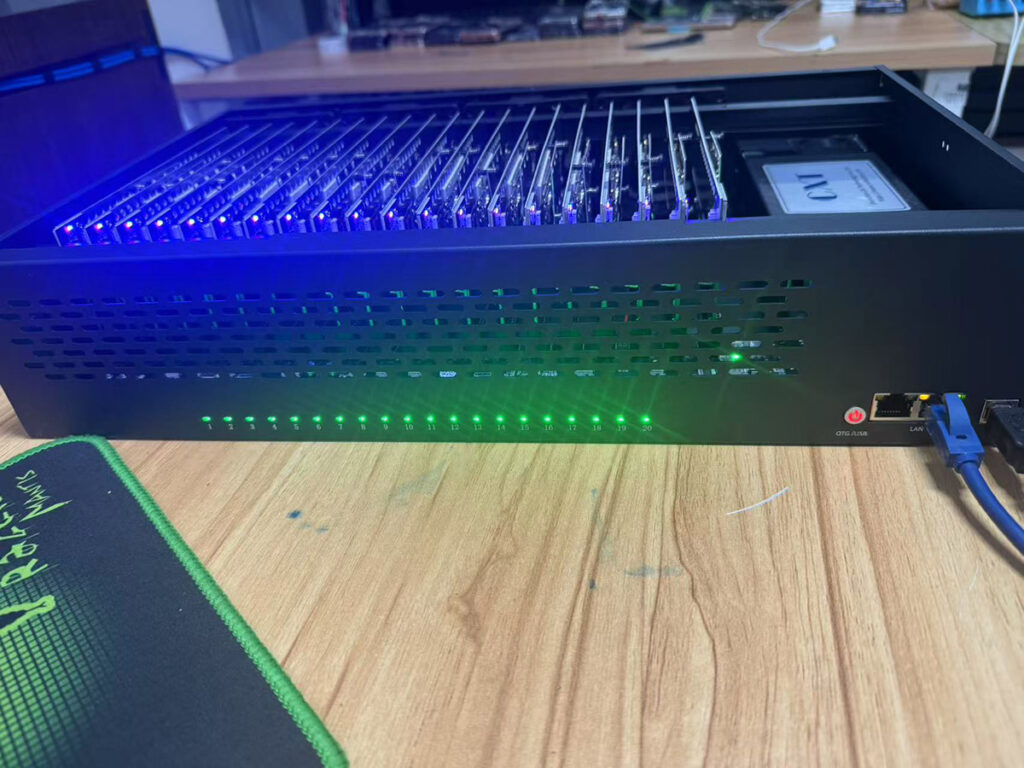
Phone Farm Setup: Hardware, Software, Network & Maintenance Guide 2026
A phone farm is a centralized system in which several smartphones are interconnected so that all of them could be controlled, monitored, and tested at once. Phone farms are used by enterprises and development groups for technical research, automation, compatibility tests, quality assurance, and mobile applications testing.
More than just the connection of several smartphones is required to make a stable phone farm. Power supply, network infrastructure, cooling, software management, security, and regular maintenance are essential for this purpose.
A Phone Farm’s Hardware Checklist
A phone farm is built on dependable gear. Every part should facilitate easy repair and continuing functioning.
| Component | Recommendation | Purpose |
| Smartphones | Android and iOS models | Compatibility testing |
| Powered USB Hub | Industrial-grade | Charging and data transfer |
| Computer | Multi-core processor and sufficient RAM | Device management |
| Device Rack | Metal or acrylic | Device organization |
| Router | Business-grade | Stable connectivity |
| Managed Switch | Gigabit | Network expansion |
| UPS | Battery backup | Power protection |
| Cooling Fans | High-airflow | Temperature control |
| Cable Organizer | Sleeves and labels | Easy maintenance |
| SSD/NAS | External storage | Logs and backups |
Make use of top-of-the-line charging cords and pick devices that have tough batteries. Passive hubs are not as efficient as powered hubs. Allow some scope for expansion and have additional cables, chargers, and adapters handy.
Software Options
Several devices cannot be coordinated with just hardware. The coordination and monitoring of devices can be done with device management software.
Useful features include:
- Device discovery
- Remote control
- Screen mirroring
- Application installation
- Software updates
- Device reboot
- Log collection
- Status monitoring
Repetitive tasks like running tests, installing apps, restarting devices, taking screenshots, and generating reports can all be completed by these automation solutions.
The monitoring tool must be able to track the device’s temperature as well as CPU utilisation, memory, storage, battery performance, charging, and network conditions.
Best Practices for Networking
Network reliability affects automation and device performance. In the case of having many devices to manage, business-class routers and managed switches would provide better performance and management capabilities.
In order to reduce traffic and increase security, separate test devices from your office network whenever possible.
Monitor:
- Latency
- Packet loss
- Bandwidth usage
- Device connectivity
- Internet availability
Remote access should be restricted to authorized administrators. Use secure authentication and encrypted communication when accessing management systems remotely.
Power Management
The power grid system can be stressed greatly due to several smartphones working continuously.
Avoid failure of charge by using powered USB hubs and good quality power sources. Rather than concentrating a lot of devices on one power source, distribute them in different hubs and circuits.
Apart from avoiding unexpected power failures and loss of data, the UPS provides an alternative source of electricity in case of a power failure.
Inspect the status of the battery at intervals. Any device with serious damage to its batteries should not be used.
Heat Management
The constant working of phones generates a considerable amount of heat. Poor ventilation can affect the hardware life and performance of the device.
Ensure that there is sufficient space for airflow between devices. Use fans with good airflow and monitor the temperature of your devices.
Keep the ventilation area, fans, and racks clean. The dust can prevent the airflow and reduce the cooling effect.
Cable Management
Good organization makes cable maintenance and troubleshooting much easier.
All your gadgets, USB connections, charge cords, networking cords, and racks need to be labeled. The use of Velcro cable ties or cable wrappings can help to organize your cables.
As much as possible, try to separate your power cords from data cords. Inspect your cords regularly and replace any damaged ones.
Remote Device Monitoring
There is no need for administrators to physically check each individual smartphone because of remote monitoring.
Important metrics include:
- Battery percentage
- Charging status
- Storage capacity
- CPU and RAM usage
- Network connectivity
- Device temperature
- Operating system version
- Application status
Offline devices, high temperatures, lack of storage, application issues, and network interruptions can be identified through automated messages. Early notifications minimize downtime.
Performance Optimization
Configurations that have been standardized make large device configurations easy to manage. Ensure that configurations of similar devices remain similar.
Unused applications and files should be deleted because they consume background or storage space resources. Plan for maintenance, backups, and software updates during the planned maintenance periods.
Abnormally high CPU, memory, and storage usage can be detected by monitoring resource usage.
Scaling a Phone Farm
Build in scalability for growth in your design of infrastructure. Choose racks, hubs, power, and networking hardware with extra capacity.
A modular approach means that new racks and hardware can be added without rebuilding the whole system.
Maintain an inventory containing:
- Device model
- Serial number
- Operating system
- Purchase date
- Warranty status
- Rack location
Accurate records simplify maintenance, troubleshooting, and replacement.
Phone Farm Maintenance Checklist
Daily
- Check connectivity
- Ensure charging
- Check monitoring alerts
- Find disconnected devices
Weekly
- Check battery condition
- Ensure updates
- Delete unwanted files
- Check cables
Monthly
- Clean racks and fans
- Check alternate power sources
- Check automation process
- Check system log
Quarterly
- Change old cables
- Check battery condition
- Check network capacity
- Hardware audit
Common Problems and Solutions
| Problem | Possible Cause | Solution |
| Not charging | Faulty cable/USB port | Replace cable or port |
| Disconnecting | Loose connection | Check hubs and connectors |
| Slow performance | Low storage/background apps | Free storage and optimize |
| High temperature | Poor airflow | Improve ventilation |
| Network instability | Router congestion | Review network equipment |
| Automation failure | Configuration issue | Check logs and settings |
| Battery swelling | Aging/damaged battery | Replace device immediately |
Security Best Practices
Ensure secure authentication and restrict access to administrators authorized to do so. Maintain updated versions of management tools and operating systems.
Apply the appropriate security policies to protect sensitive documents and reports. Create secure backups of sensitive device configurations and access logs.
Ethical and Legal Considerations
Legitimate purposes such as testing applications, quality assurance, enterprise mobility, and scientific research can be accomplished using phone farms.
Organizations must comply with all legal and regulatory requirements, the terms of service of the platforms, and software licenses. Proper authorization should be secured before any data is collected and the devices should be used for appropriate purposes.
Buying Guide
Before purchasing any equipment, consider:
- The number of units that will be required
- Future expansion needs
- Compatibility with iOS and Android devices
- Automations requirements
- Remote management needs
- Budgeting
- Cooling and electrical capacity
Ensure that quality power sources, USB hubs, networking equipment, and cooling devices come before the cheapest immediate expense. When possible, opt for reputable manufacturers who provide warranty coverage.
Conclusion
A phone farm is not simply a collection of smartphones; rather, it consists of reliable hardware, network, software, cooling system, security, monitoring, power supply infrastructure, and maintenance systems.
Companies can set up a reliable platform for their technical operations and mobile testing by properly organizing the infrastructure and selecting reliable components. Apart from reducing downtimes and maintenance problems, future-proofing ensures long-term development.
Frequently Asked Questions
A phone farm: what is it?
For testing, automation, research, and other approved technological operations, a phone farm is a centralised arrangement with several smartphones that can be controlled and observed.
What is the operation of a phone farm?
It integrates networking hardware, cellphones, power infrastructure, and management software to enable the control of several devices from a single system.
So why not use real hardware instead of emulators?
People can test functions which are hardware dependent, such as camera, GPS, sensors, battery, and network behavior in the real world on real hardware.
How many devices can be supported by phone farms?
Hardware, electricity, networks, air conditioning, and management software limit the number. Big phone farms can have several hundreds of devices, while small ones can contain only ten-twenty.
Can a phone farm be managed remotely?
Yes. This can be achieved through several device management software that support remote management, monitoring, controlling, application administration, and status of the devices.
How can one prevent overheating?
This can be done through using cooling fans, proper ventilation, correct spacing of the phones, regular cleaning, and temperature checks.
Can a phone farm be grown?
Yes. Growth of a phone farm can be enhanced through extendable networking components and power systems.